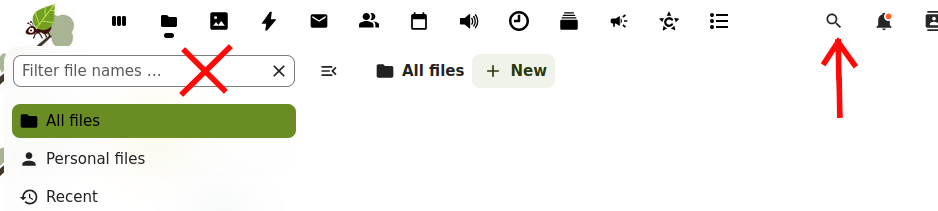
The graphical user interface to search files in Nextcloud is not intuitive right now.
What is easier to see is the filter in the menu to the left which says "Filter file names ...". This is not really a search field, but a filter for the content already shown. This filter is therefore limited to the current folder. So if you are not already in the folder where the file you're looking for is, it will return nothing (0 files).
The real search tool is in the top menu to the right, it is the tiny icon with the magnifying glass. When you click on it, a window opens called "Unified search". If you do your search in that window, you will find the files you are looking for. It will also search in emails, contacts... everything you have put in the Nextcloud.