
Change how the messages list is displayed in Roundcube
Emails are displayed as a list by default, ordered by date.
In many cases, it might be better to show them grouped by threads. To do so:
- Connect to your mailbox at webmail.koumbit.net
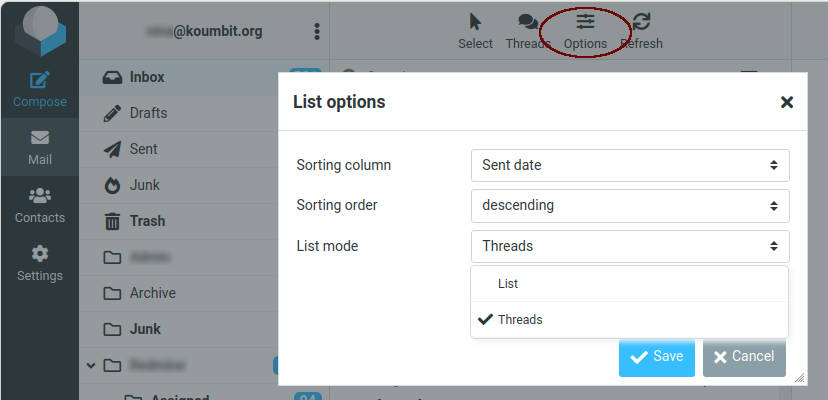
- Click on the "Options" button at the top of the messages list.
- Click on "List" next to "List mode".
- Select "Threads" and save.
You'll then be able to click on the "Threads" button at the top to show / hide all threads, or show unread messages.